Changelog
Product release notes and development timeline.
Per-agent Voice Follow-up, veto windows, the Guarded policy, and a clearer subscription lifecycle
The 0.8 app release adds per-agent control of Voice Follow-up, an opt-in veto window for approval timeouts, a redesigned Policy screen with the new Guarded policy, calmer badge celebrations, clear trial and expiry states with renewal built in, and more reliable Hermes follow-ups.
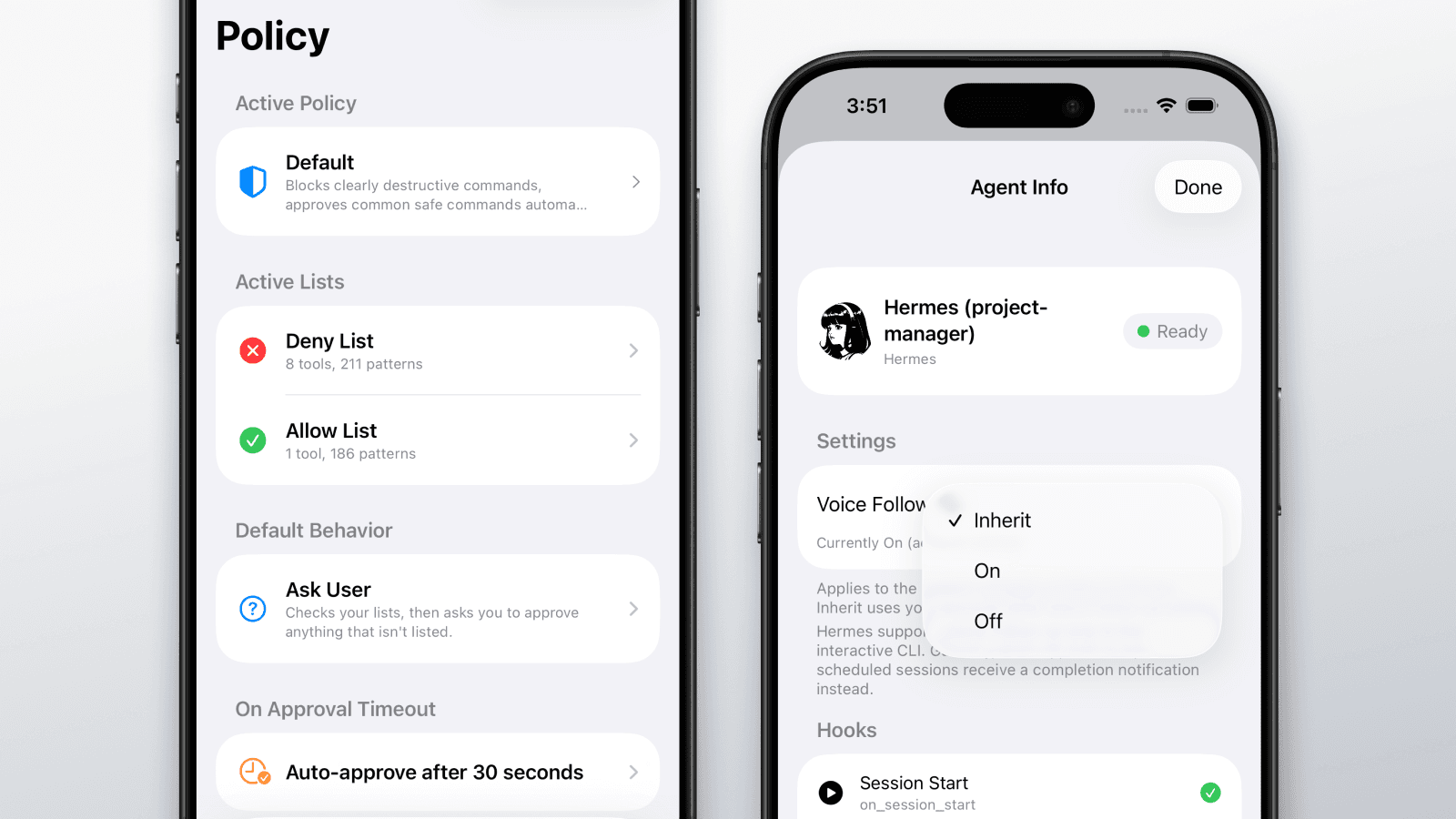
Voice Follow-up per agent
- Each agent, and each Hermes profile, now has its own Voice Follow-up setting: Inherit, On, or Off
- Keep follow-up prompts on the agent you work with directly and turn them off for scheduled or headless work
Veto window for approval timeouts
- A policy can now auto-approve an ordinary request after a veto window of 30 seconds to 5 minutes instead of denying on timeout
- Your Deny List always wins, a built-in safety floor never auto-approves system-destroying commands, and questions from the agent always wait for a real answer. See timeouts and offline fallback for the full safety rules
Policies: redesigned screen and the Guarded policy
- The Policy tab now leads with the active policy: its Deny List and Allow List in evaluation order with their pattern counts, its default behavior, and what happens when an approval times out. Every policy is editable, including its default behavior
- New accounts start on the Default policy, which now ships populated. It denies clearly destructive commands, approves common safe commands automatically, and asks you about everything else. The new Guarded policy pairs the full Restrictive Deny List with allow-by-default behavior for unattended work
- Get Policy Updates adds the latest built-in patterns to your default policies without removing or editing your own entries. Details in policies and default behavior
Calmer badge celebrations
- Multiple pending badges show as one paged celebration, and a new Badge Celebrations setting lets you earn badges quietly
- The App Store review prompt waits until you have really used the app instead of interrupting your first session
Trial, expiry, and renewal
- A summary appears before your trial ends and if your subscription ends, with your own numbers and a recent activity trend. Subscribe from the sheet and both the paywall and the summary close, leaving you back in the app
- An expired account is clearly marked across the app and keeps read access to history, profile, and settings. The app works this state out for itself, so it is right whether or not a notification reached your phone
- Short, factual subscription notifications, with a Subscription Reminders setting in the settings reference to turn them off
Hermes follow-up reliability
- Voice Follow-up prompts no longer appear for gateway, desktop, one-shot, cron, or Kanban sessions, which have no way to receive one; those sessions get a completion notification instead, and the Hermes agent card now says so
- Update with
npx agentapprove installto get the new plugin; the classic interactive CLI keeps full follow-up support
Clearer stats on Profile and the summary sheets
- Profile now shows Auto-Denied and Agents alongside Approvals, Denials, and Auto-Approved, and the trial and expiry summaries show the same figures with Total Events in place of the streak
- The activity chart plots auto-approved and auto-denied as their own series instead of folding them into approvals and denials, and its legend matches the bars
Apple Watch
- The Watch now labels a timed-out request, a veto-expired auto-approval, and a denial with feedback exactly as the iPhone does, with matching icons
- A Watch working without the iPhone nearby fills in an approval that arrived as a notification, on wrist raise or when the card comes on screen
Around the app
- After you update, a What's New screen summarizes the release and links to this changelog
- One set of icons and colors now covers the event timeline, hook lists, Apple Watch, and the demo, so the same kind of event looks the same everywhere, and the Policy tab lines its rows up on a single icon column
- The whole approval card opens the detail view, sheets use the full iPad canvas, JSON matches iPhone contrast in dark mode, and Profile charts show readable agent names
Reliability
- An approval that arrives while the app is closed now fills in its command as soon as you open the app, unlock the phone, or bring the card on screen, instead of staying a placeholder
agentapprove disablenow deregisters Agent Approve from your installed agents instead of only pausing its credentials, andagentapprove enablerestores them without re-pairing- Fixed a stuck connection error banner, a database deadlock under heavy multi-agent load, and follow-up prompts missed while the app was closed
New docs and sitewide search
The new Docs section puts setup, features, integrations, privacy, maintenance, and troubleshooting in one place. Search is now available from every page.
Documentation
- Open Docs for setup instructions, feature explanations, integration details, privacy guidance, CLI maintenance, and troubleshooting
- Follow the Quickstart to connect your first agent and confirm the approval flow
Search from any page
- Use the search button in the header to find documentation, agent guides, use cases, blog posts, and changelog entries
Plugin updates: stronger encryption guarantees
New releases of every Agent Approve plugin extend end-to-end encryption safeguards to your device, so protected content is held back at the source even when local configuration drifts, plus improved local debug logs when an approval request fails to reach the service.
Updated packages
- OpenCode plugin
@agentapprove/opencode@0.1.23 - OpenClaw plugin
@agentapprove/openclaw@0.2.16 - Pi plugin
@agentapprove/pi@0.1.12 - Hermes plugin
0.1.9 - Installer
agentapprove@0.1.38— update everything with a singlenpx agentapprove, which now also upgrades Pi extensions that were installed at an older version
Defense in depth for end-to-end encryption
- The server has always discarded content that should be encrypted but is not, rather than storing it. Plugins now apply the same protection on your device: if encryption keys or configuration are ever missing or unreadable, content is withheld locally and events are sent metadata-only until you re-run
npx agentapprove - If encryption keys are present on your machine, plugins always use them — an older config file that is missing the E2E setting no longer causes encryption to be skipped. Only explicitly turning E2E off disables it
More reliable settings sync
- Settings changes made in the iOS app now apply to running plugin sessions more reliably
Improved local debug logs
- When debug logging is enabled, hooks and plugins now record the HTTP response side of each approval and event-batch request — status, empty or invalid bodies, and transport failures — so upstream connectivity problems are easier to diagnose from
hook-debug.log - Local debug logs are now written with private (owner-only) permissions and rotate automatically
Expanded protection against destructive commands
Within days of the GPT-5.6 launch, developers reported agents wiping home directories, corrupting servers with rsync, and deleting project files with PowerShell filters. The Restrictive policy now blocks more than 270 destructive command patterns, and policy matching got two reliability fixes.
New Restrictive policy coverage
- The full
rsyncdelete family (--delete,--delete-delay,--delete-during,--delete-before,--delete-after,--delete-excluded), matched regardless of flag ordering - PowerShell deletion:
Remove-Item -Recurse,Remove-Item -Include, andClear-RecycleBin rm -fandrm --force, which previously fell through to manual approval- Language-level deletion APIs: Python
os.removeandos.unlink, Node.jsfs.rm,rmSync, andfs.unlink, and RubyFileUtils.rm_r shredand login-shell escapes likebash -lcandzsh -cthat can hide a destructive command inside a safe-looking wrapper
Policy matching fixes
- Deny patterns now see through privilege escalation:
sudo shred,sudo -u root dd,doas, andrun0variants are caught by the same patterns that block the unwrapped commands. It works in the other direction too: a deny pattern you write assudo rmalso catches flagged forms likesudo -E rmanddoasorrun0equivalents. Allow list entries deliberately do not inherit throughsudo, so an escalated command that is not denied still comes to you for review - Better handling of whitespace and JSON formatting differences when matching policy patterns, so saved patterns match more reliably
- Deny patterns for file-write tools like Write, Edit, and Patch are now evaluated against the full tool input, not just the file path, so content-based rules work as expected
How to get the new patterns
- The matching fixes are live server-side automatically — no update or action required
- To pick up the new default patterns, open the iOS app and choose Policy > Reset All to Defaults (you get a confirmation first). Resetting replaces your customizations and removes custom policies you created, so note those before resetting
- A future iOS app update will deliver policy updates without losing your custom policies
Learn more
- Read the blog post on the GPT-5.6 incidents and how the policy was updated in response
- The three new incidents are documented with sources on the prevent destructive actions page
Agent Approve public launch
Agent Approve is now publicly launched and available on the App Store. Download the iOS and Apple Watch app, run npx agentapprove, and get AI agent observability and control on your wrist.

Available now
- Download Agent Approve on the App Store for iPhone and Apple Watch, with a 7-day free trial ($14.99/month after)
- Watch the Agent Approve product demo to see agent activity, mobile approvals, and Apple Watch controls in action
- Read the public launch press release announcing Agent Approve for iPhone and Apple Watch
- Pair in seconds: run
npx agentapprovein your terminal and scan the QR code - Works with 14 agents and counting, including Claude Code, Cursor, OpenAI Codex, and Antigravity — one approval workflow, one policy, one activity history
- Try Demo Mode from the welcome screen to explore the full approval flow — no account required
Google Antigravity support
Google transitioned Gemini CLI users to Antigravity on June 18, 2026, so Agent Approve now supports Antigravity app/IDE and Antigravity CLI while keeping Gemini CLI available as a legacy integration.
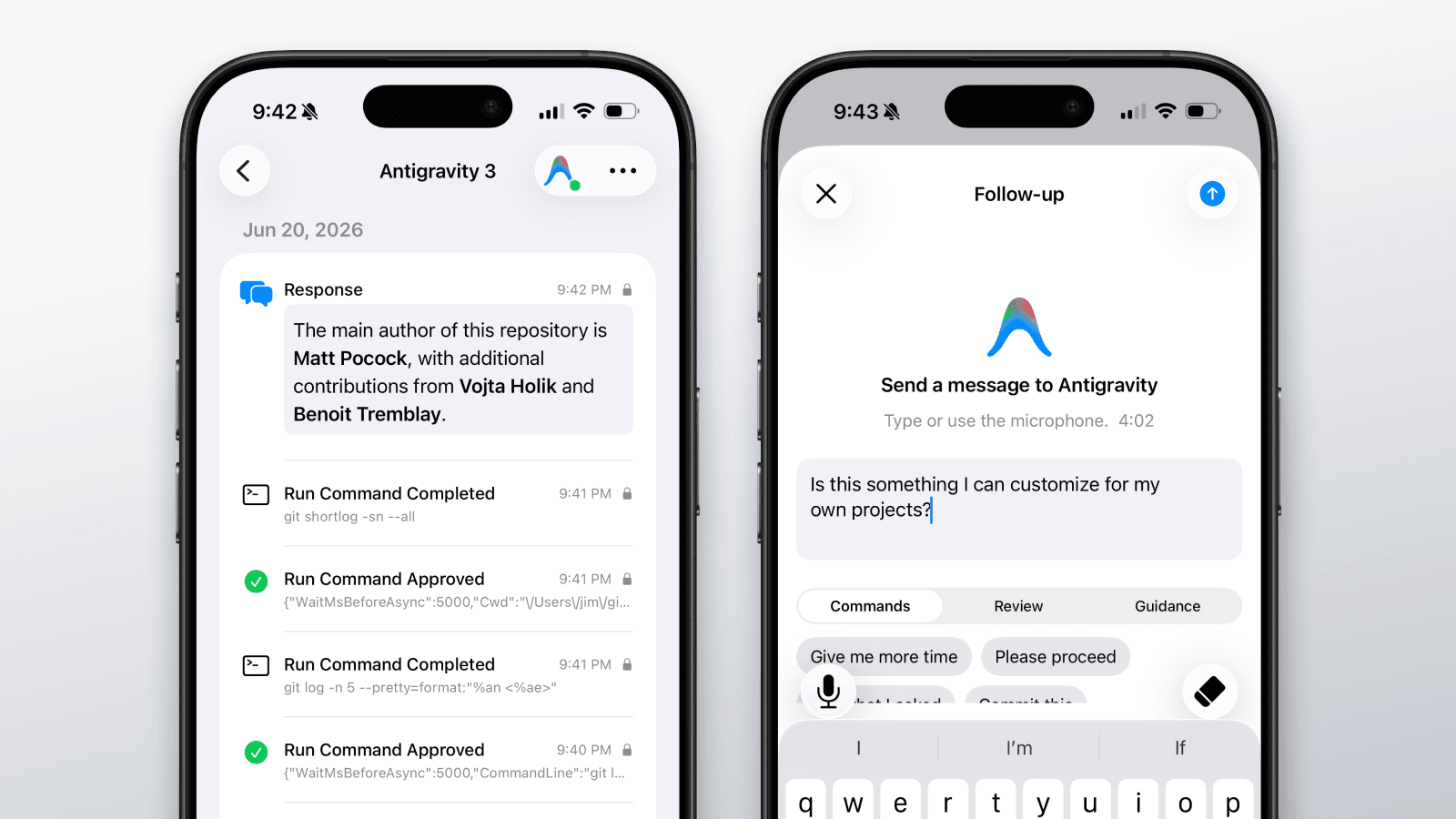
Antigravity and Antigravity CLI
- Native plugin bundles install PreToolUse, PostToolUse, PreInvocation, PostInvocation, and Stop hooks, with invocation hooks used internally for transcript-backed prompt and response capture
- Tool approvals stay synchronous while prompts, responses, tools, subagents, messages, questions, plans, and session telemetry use the existing encrypted batch queue
- Stop follow-up input can return your iPhone or Apple Watch reply to Antigravity when the agent reaches a turn boundary
Gemini CLI
- Gemini CLI remains visible for legacy and enterprise installs, with wording updated for Google's June 18 transition
Hermes, Windsurf, and OpenHands agent support
Three new coding agents join Agent Approve. Same mobile approvals, same shared policy, same activity history — now across twelve agents.
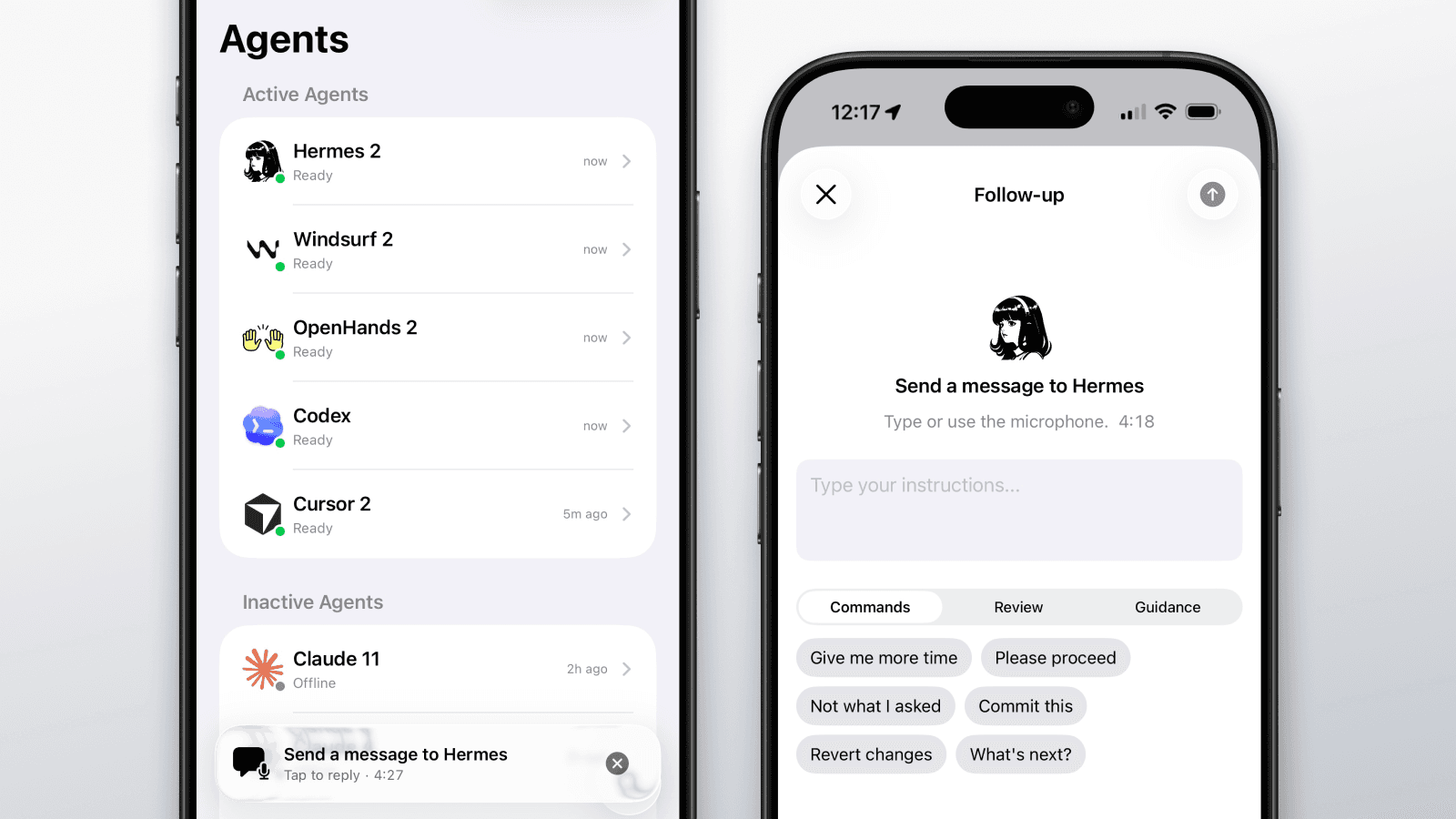
Hermes
- Mobile approvals for Hermes tools, shell, and MCP calls — across CLI, scheduled runs, gateway sessions, and subagent delegations
- Voice and text follow-ups from iPhone or Apple Watch when a turn completes
- Stacks with Hermes Smart Mode — local low-risk auto-approvals stay local, gray-area decisions come to your phone
Windsurf
- Mobile approvals for file reads, file writes, shell commands, and MCP tools in Cascade
- Plans surface as their own activity entry so you can review what the agent intends to do
- Follow-up commands not supported yet — Windsurf does not currently expose a blocking turn-end hook
OpenHands
- Mobile approvals for built-in tools and MCP calls — denials send your reason back to the agent
- Voice and text follow-ups when the agent stops, delivered as the next user message
- Full session, prompt, and response history alongside your other agents
Agent Event Protocol public draft
Agent Event Protocol (AEP) 0.1 draft is live for public review: one event envelope, one event vocabulary, and one control response shape for AI coding agents.
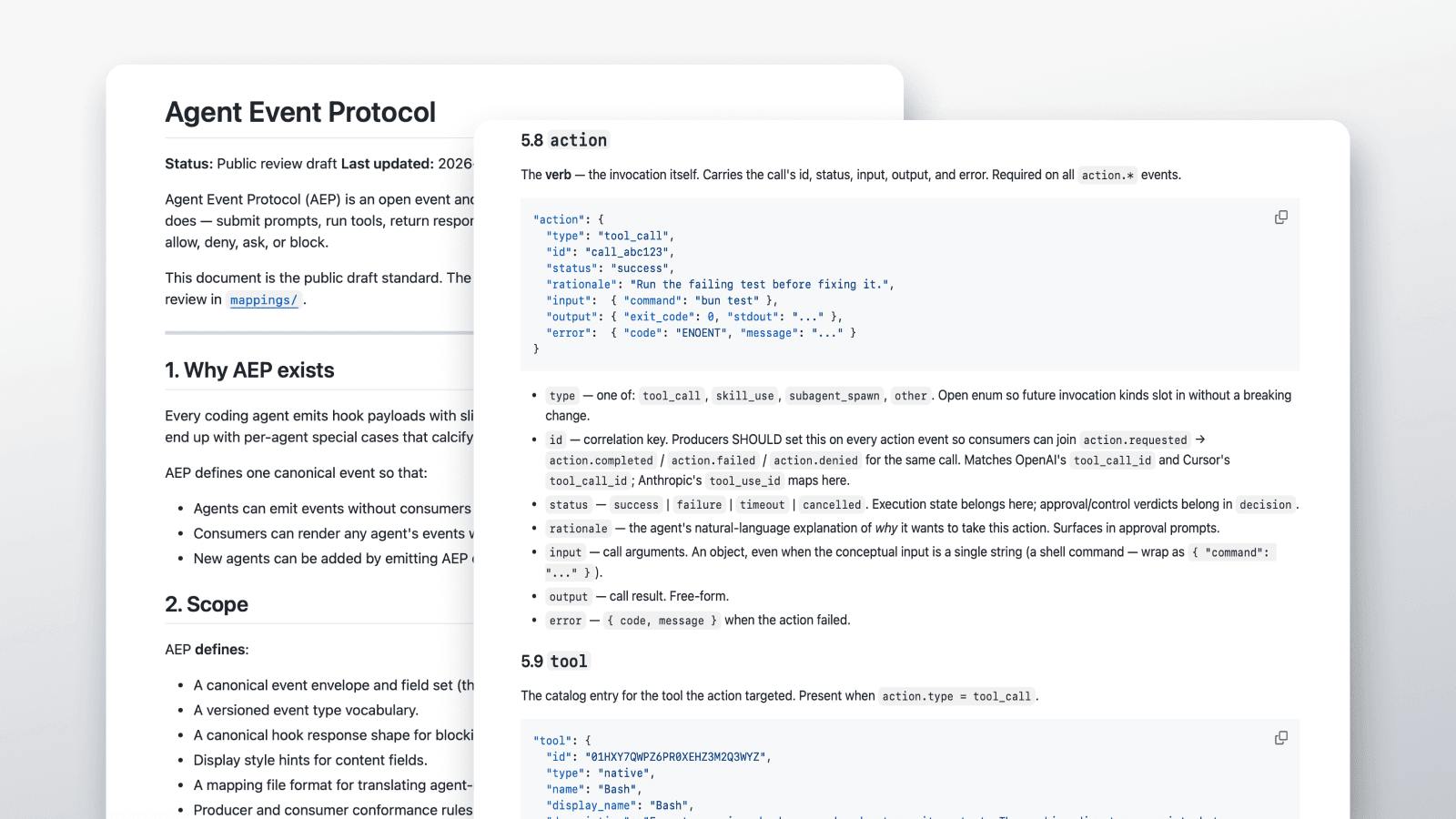
Open standard
- New Agent Event Protocol page covering the canonical envelope, hook responses, the event vocabulary, display styles, and the two integration paths: emit AEP natively, or write one declarative mapping file
- The AEP GitHub repo is live with the 0.1 draft spec, examples, changelog, contribution notes, and provider mapping drafts
- Draft mappings are available for Claude Code, Cursor, Gemini CLI, GitHub Copilot CLI, OpenAI Codex, and OpenCode so agent providers and hook consumers can review the shape against real integrations
Restrictive policy for destructive commands
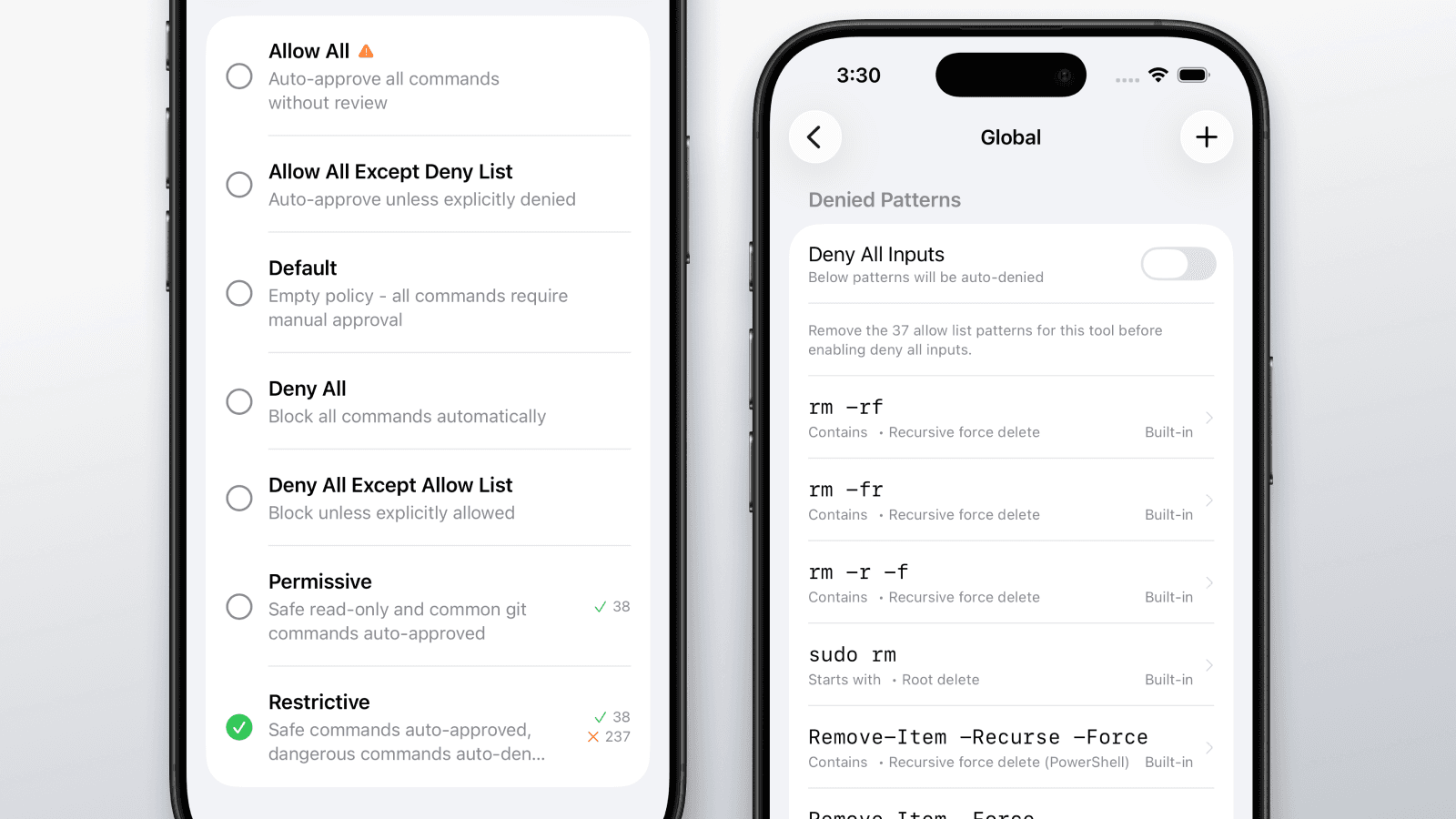
The built-in Restrictive policy now blocks around one hundred destructive command patterns out of the box, so the worst classes of agent mistakes get caught before they run.
Restrictive policy
- About one hundred deny patterns covering filesystem wipes (rm -rf /, rd /s /q, wipefs), git history rewrites (reset --hard, push --force), database drops (DROP DATABASE, prisma db push --force-reset, FLUSHALL), cloud teardowns (aws s3 rm --recursive, terraform destroy, gcloud projects delete), secrets exfiltration, remote-execution pipes (curl ... | sh, encoded PowerShell), and accidental package publishes
- Permissive allowlist also expanded so common safe commands (git status, npm list, docker ps, kubectl get, version probes) keep moving without prompting
- Patterns apply to Bash, shell aliases, and structured MCP tool input alike
- Tightened the
find -deletedeny pattern and added two new standalone--deleteflag patterns so destructive forms — including stacked (rsync -av --delete src/ dest/) and trailing (aws s3 sync s3://bucket/ ./ --delete) — are still caught, while suffixed flags likegh pr merge --delete-branchno longer false-positive - New
endsWithpattern type for the policy matcher complements the existingexact,prefix, andcontainstypes; useful any time a destructive flag tends to be the final token of a command
iOS app
- New confirmation toast after resetting policies to defaults so you know the change went through
- Renaming an agent now persists to the server and the list and detail view update immediately
- New "Reset Image" menu item on the agent detail screen to clear a custom avatar back to the default icon
- Confirmation toasts on rename, photo upload, image-from-URL, and avatar reset, with in-sheet error toasts when something fails
- Quieter activity feed during Claude Code's new Monitor tool — background task-notifications appear as
Monitor Updaterows and their brief replies no longer trigger "Agent Stopped" entries, completion pushes, or stop-input prompts between cycles
Web site
- New Use Cases hub describing where Agent Approve helps you ship faster
- New Prevent destructive actions page covering 24 publicly reported AI agent incidents and the deny patterns Agent Approve ships to prevent them
- New Monitor agent activity page covering reported observability failures, OWASP's 2026 Agentic Top 10, and the full event catalog of what Agent Approve captures across every supported agent
Pi agent support
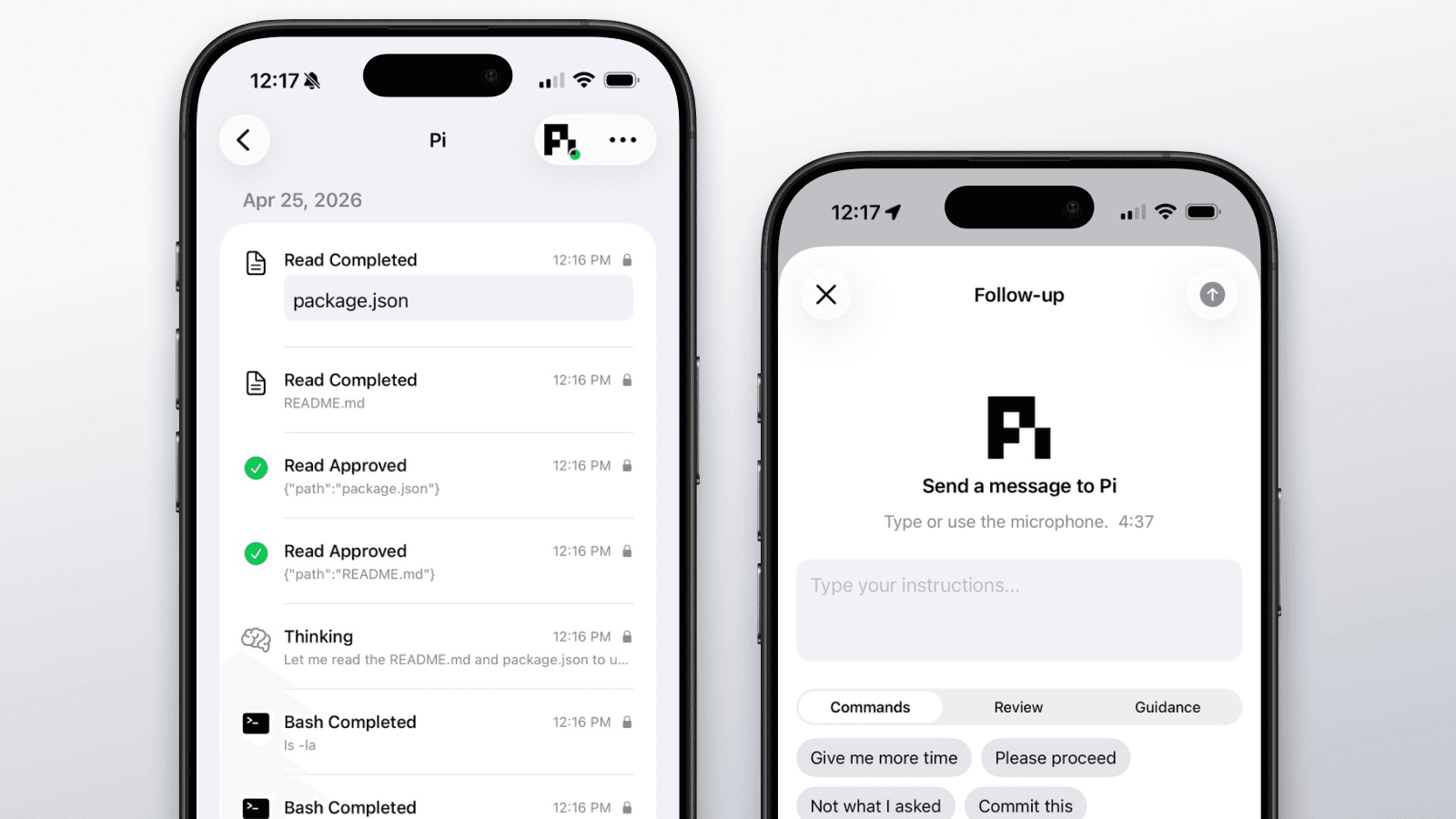
Pi joins Agent Approve. Approve tool calls from iPhone or Apple Watch, apply the same centralized policy you use across your other agents, and send follow-up instructions when a turn completes.
@agentapprove/pi
- Mobile approval flow for Pi shell, file, search, edit, network, and MCP tools
- Shared allow and deny lists across Pi and your other agents
- Voice and text follow-ups from iPhone or Apple Watch
- Pi responses, plans, and tool results in the unified activity history
- Published to npm — install with the standard Agent Approve installer
Agent pages
- Dedicated landing page and setup guide for Pi
- Pi added to the supported agents list with consistent capability badges
GitHub Copilot and OpenAI Codex support
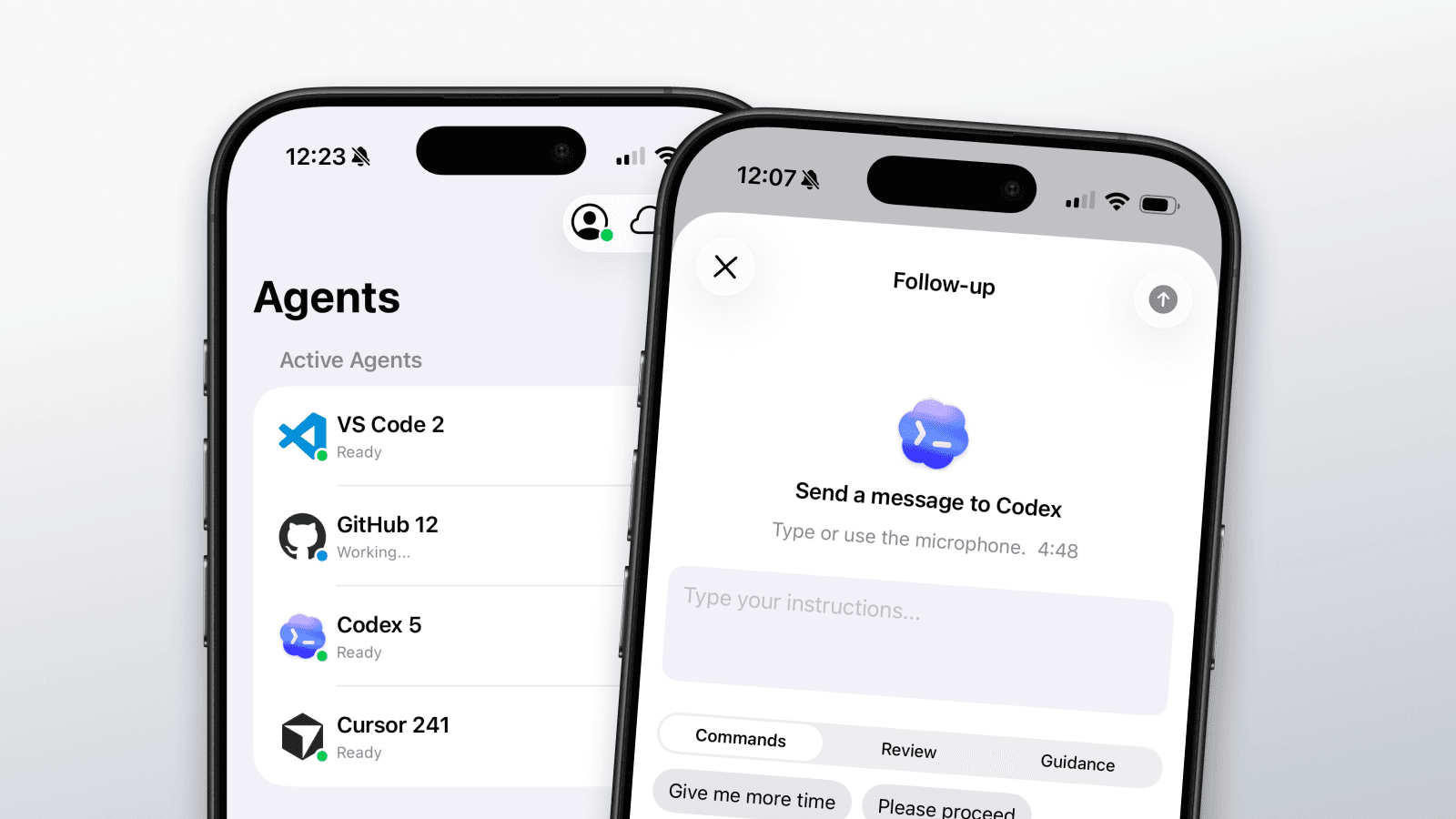
Three new agent integrations in a single week. Agent Approve now works with eight coding agents across CLI, editor, and autonomous workflows.
3 new agents
- GitHub Copilot CLI hook integration
- GitHub Copilot for VS Code hook integration
- OpenAI Codex hook integration
Agent pages
- Dedicated landing page and setup guide for each new agent
- Consistent capability badges and agent display names across the site
Search and MCP tool management
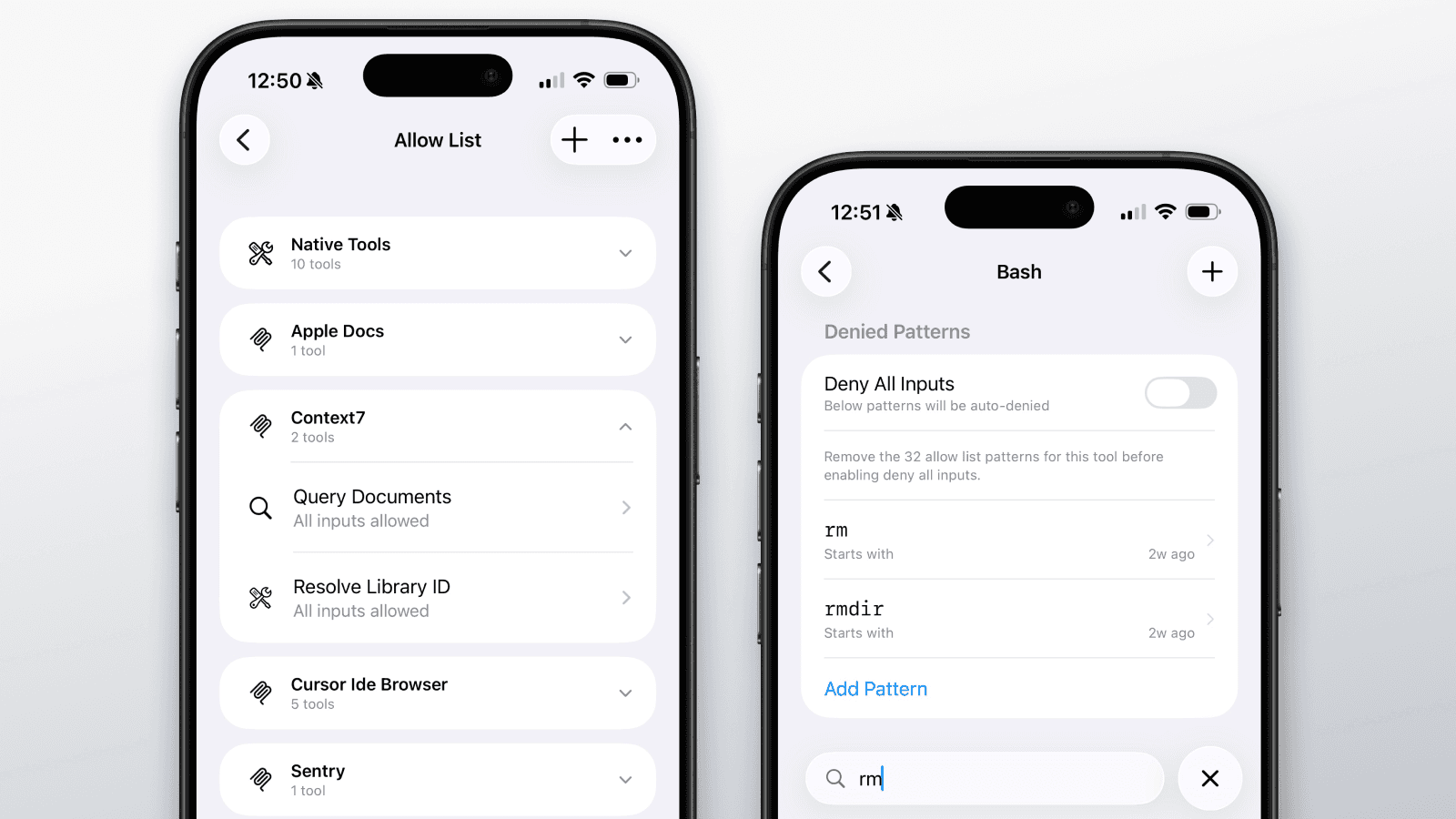
Search across agents, events, and policy lists. Add custom tools by searching against observed MCP servers and tools. Collapsible MCP server sections make large tool sets manageable.
Search and discovery
- Search across agents, events, and commands in policy lists
- Add custom tools by searching and matching against observed MCP servers and tools
- MCP tools organized under their server in collapsible sections
Apple Watch
- Demo mode: experience the full approval flow without a live agent
- Improved event detail and tool labeling on the watch
Policy editor
- Inline allow/deny list editing on iPhone
- Deny-takes-precedence conflict resolution
Independent Apple Watch app
The Apple Watch app now runs independently with its own realtime connection and approval flow. No iPhone required.
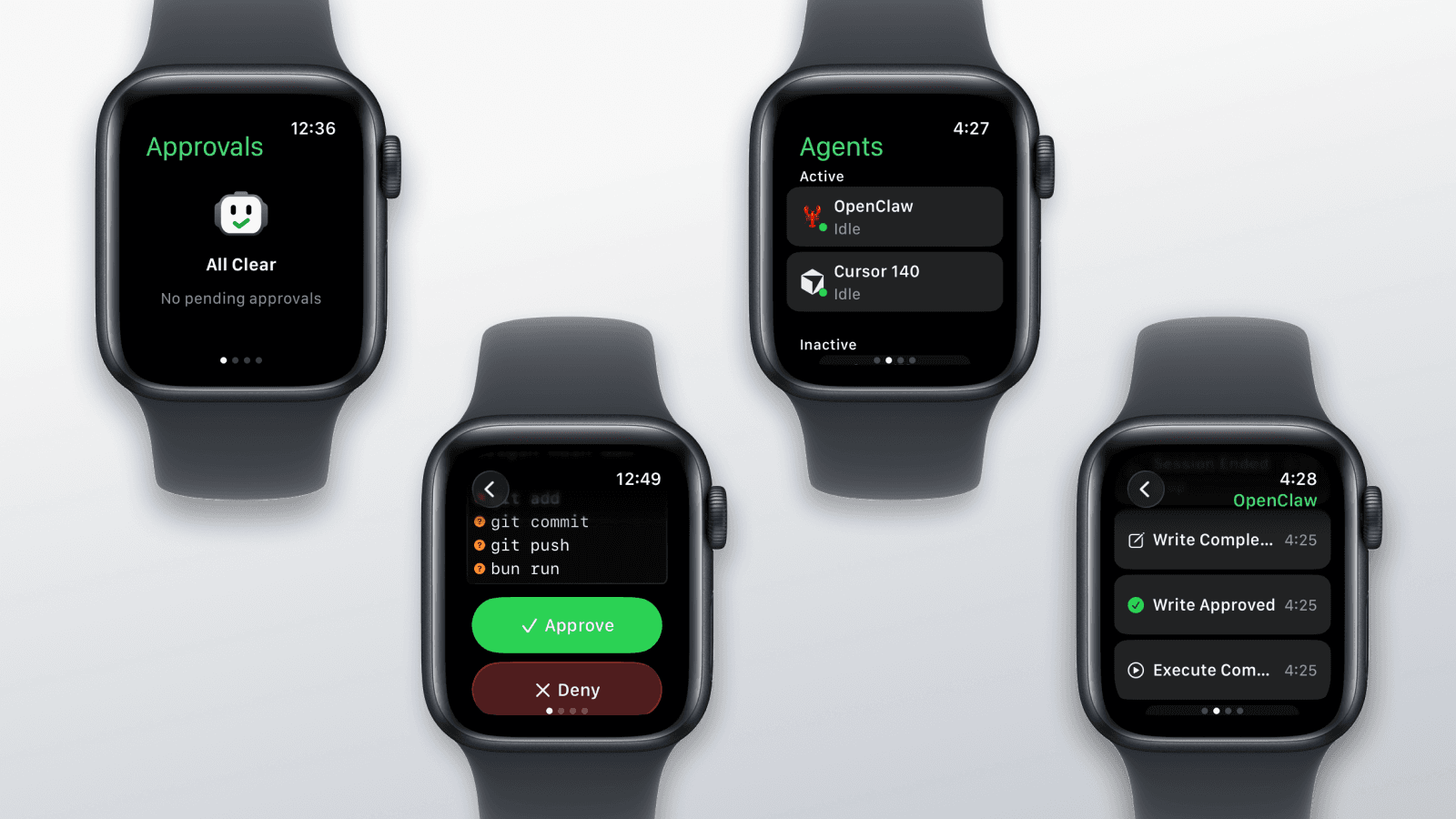
Standalone watch app
- Full approval support directly on Apple Watch
- Agent list, event history, and approval actions on the wrist
- Independent connectivity — works without iPhone nearby
Reliability
- Credential sync and key handoff between iPhone and Watch
- Automatic cleanup of expired or duplicate requests
OpenCode plugin
OpenCode joins the supported agent list via a TypeScript plugin. Five agents now supported.
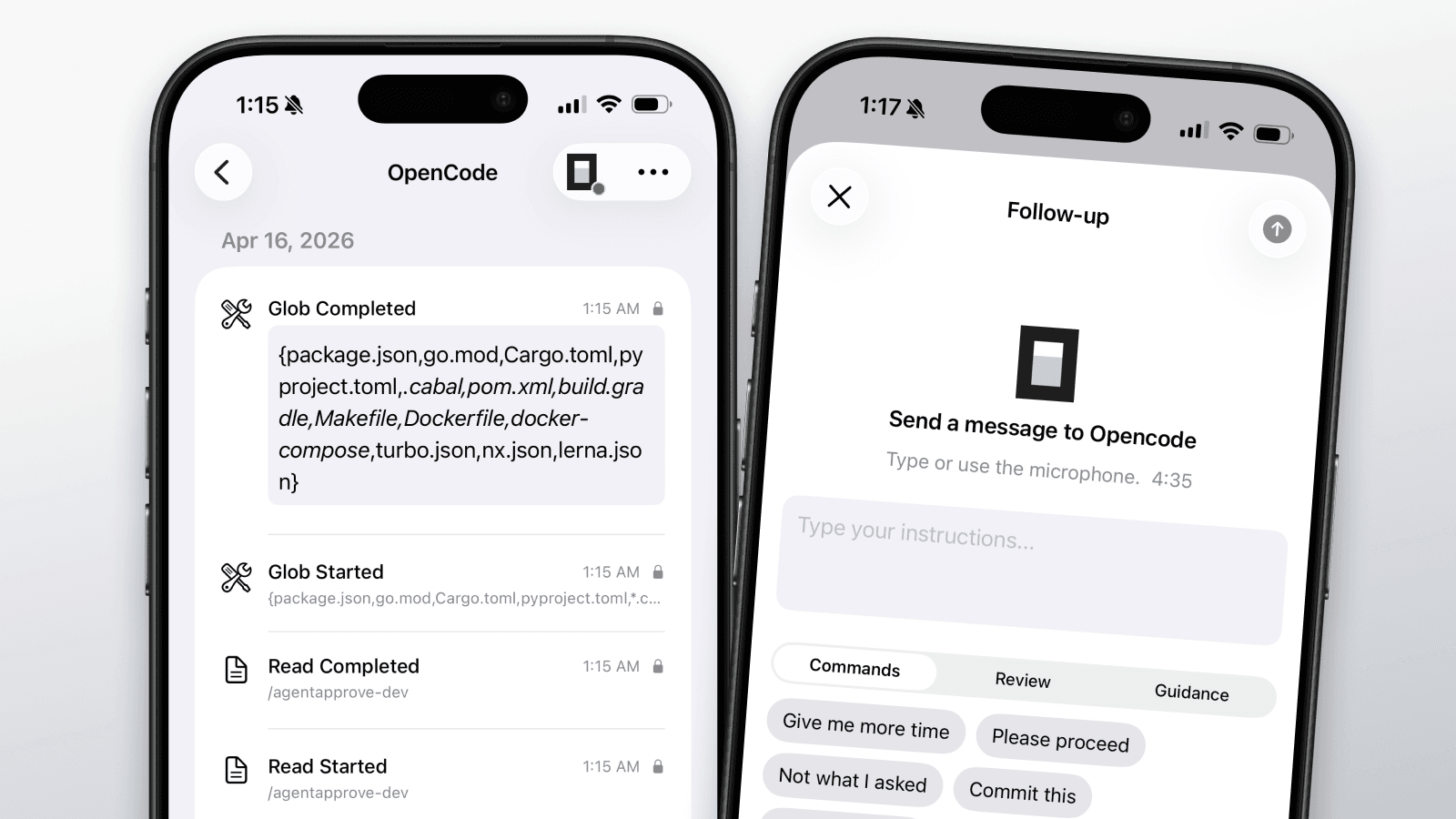
@agentapprove/opencode
- TypeScript plugin for approval and event hooks
- Same approval flow as Claude Code and Cursor
- Published to npm — install with the standard installer
Installer improvements
- Unified install and uninstall across all plugin agents
- Plugin versioning and automated publish flow
OpenClaw plugin and mobile Q&A
OpenClaw is the first plugin-based integration. Also new: relay agent questions to your phone for plan creation and other interactive workflows (beta).
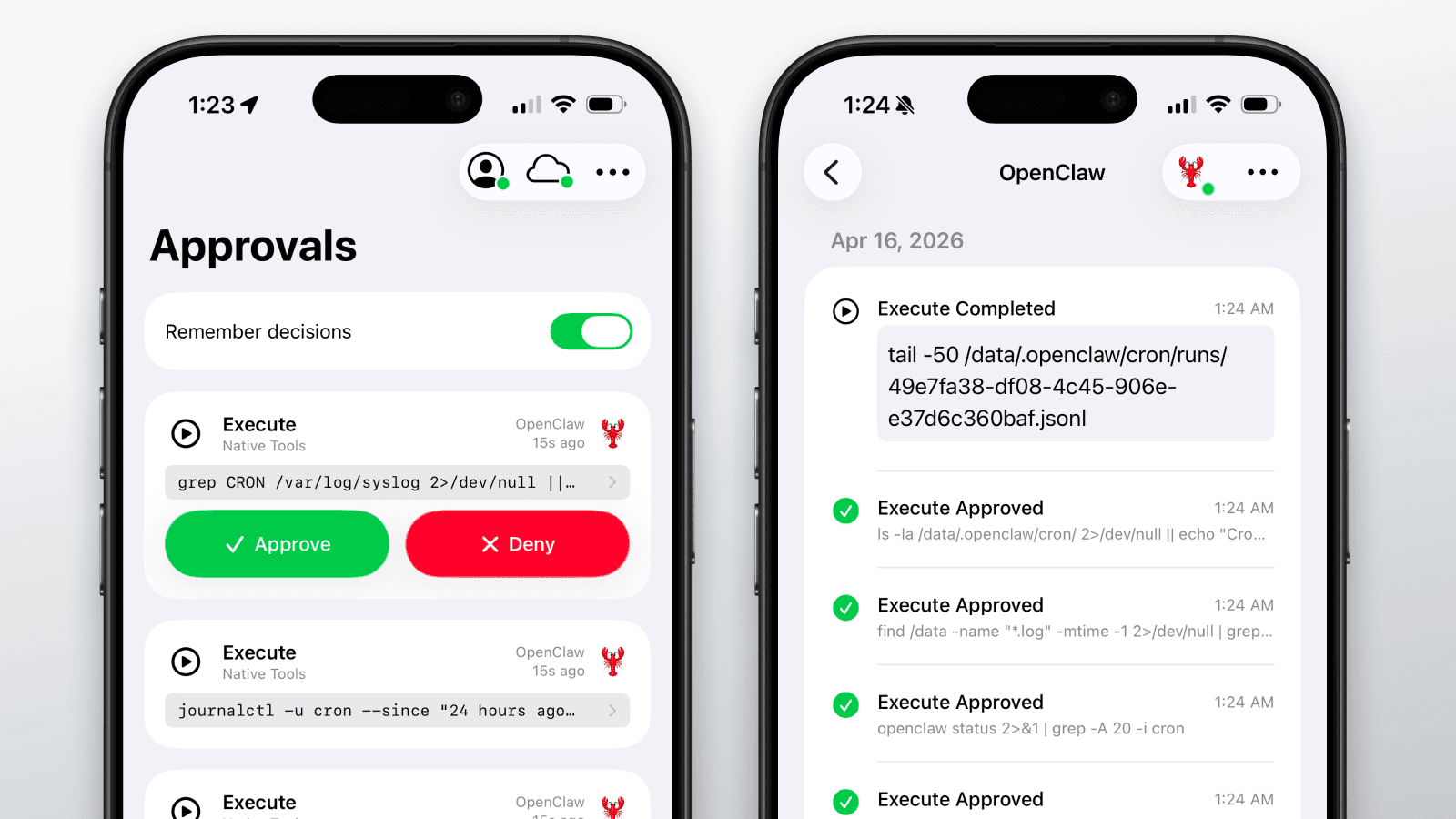
@agentapprove/openclaw
- Native OpenClaw plugin with lifecycle events and privacy parity
- Published to npm with dedicated docs and setup guide
Mobile Q&A (beta)
- Relay agent questions to your phone during plan creation and interactive workflows
- Configurable question input mode in settings
End-to-end encryption
All approval payloads are encrypted end-to-end between the CLI and the iOS app. Keys are bound to individual machines with configurable rotation and retention.
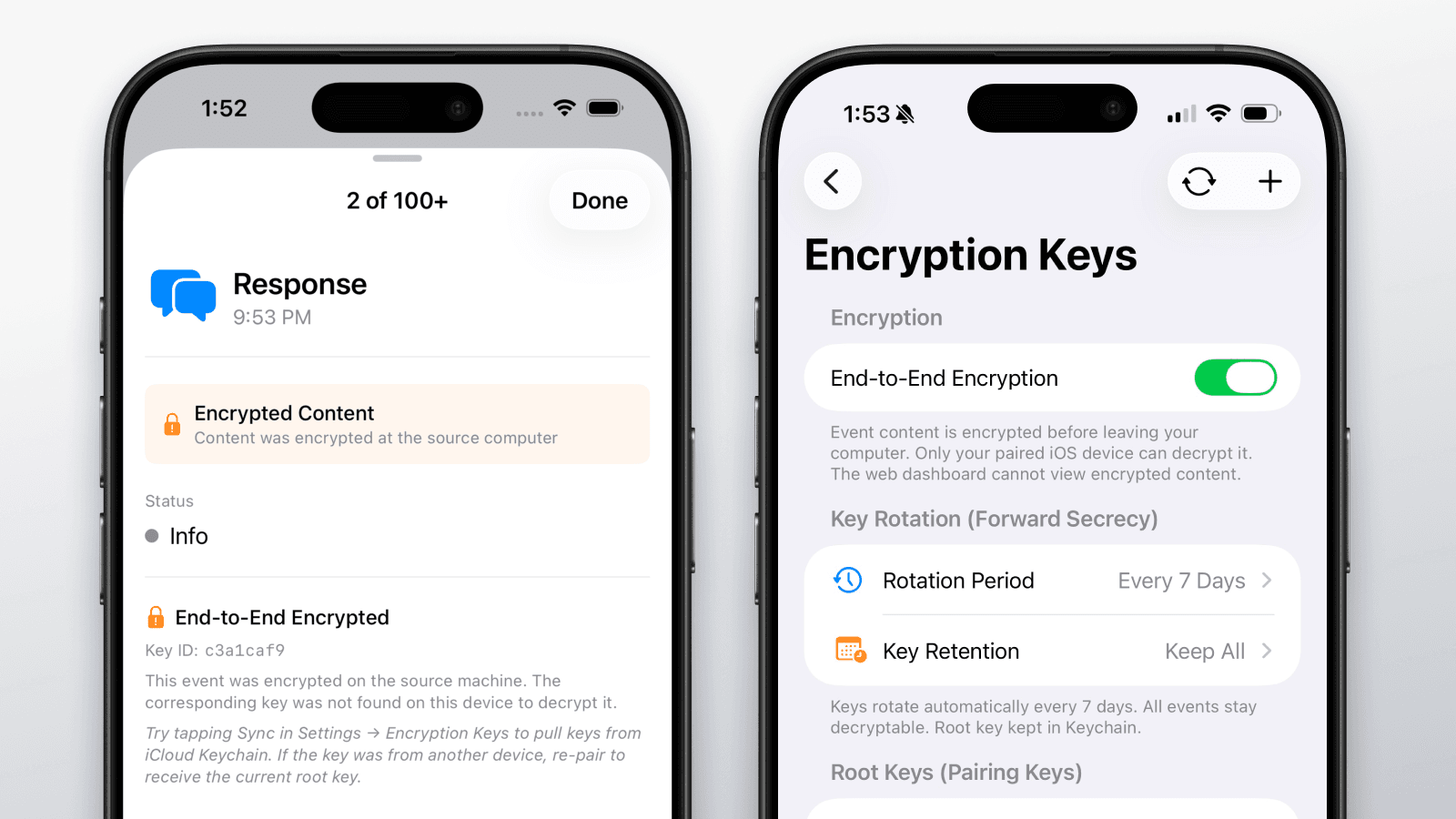
Encryption
- E2E encryption across hooks, server, and iOS
- Per-machine encryption keys for stronger isolation
- Key rotation with forward secrecy
Key management
- Key management UI on iPhone
- Configurable rotation period: off, hourly, daily, weekly, or monthly
- Key retention options: keep all, last 7, last 30, or discard old keys
- Key sync via Mac Keychain
Marketing site launch
The public marketing site goes live with landing page, agent pages, FAQ, and about page.
Website
- Production landing page with agent overview and feature highlights
- Dedicated pages for supported agents, FAQ, and company story
- Dark mode, responsive layout, and social previews
Voice follow-up on agent stop
When your agent stops and waits for input, send follow-up instructions by voice or text directly from your phone. A 5-minute window lets you respond before the agent times out.
Stop input
- Send follow-up commands when an agent stops for user input
- Voice dictation and quick-reply pills for common responses
- 5-minute response window with countdown timer
- Multi-agent banner stacking when several agents wait simultaneously
Completion notifications
- Push notification when an agent finishes a task
- Stop hooks for Claude Code and Cursor
Agent personalization and data control
Rename agents, upload custom images, control how long data is stored, and manage paired devices. Plus formatted markdown and JSON in event details.
Agent naming and custom images
- Rename agents — call "Claude Code" something like "Backend Claude" or "Ralph"
- Upload a custom image for each agent
- Names and images sync across hooks, iOS, and the dashboard
Data retention
- Configurable data retention: 1 day, 1 week, 30 days, 90 days, or 1 year
- Automated daily pruning of old event data
Device management
- Manage paired computers and iOS devices from Settings
- Device limit enforcement with replacement flow
Content formatting
- Markdown rendering for agent responses and tool output
- JSON pretty-printing with syntax highlighting in event details
Policy presets and bulk actions
Choose from multiple default policies, create custom ones, and manage pending approvals in bulk. Batch command parsing catches dangerous commands hidden inside compound expressions.
Custom and default policies
- Create custom policies and choose type: Ask User, Allow List, or Default
- Built-in policies: Restrictive, Permissive, Allow All Except Deny List, Deny All Except Allow List, Deny All, Allow All
Bulk actions
- Bulk Approve All and Deny All for pending approvals
- Remember decisions: add commands to allow or deny lists from the approval card
- Match on exact input, first part, contains, or edit a custom pattern
Batch command parsing
- Compound bash commands separated by &&, ;, or pipes are parsed individually
- Each subcommand is evaluated against the policy separately
- Dangerous commands hidden inside batch expressions are caught before execution
Privacy enforcement
- Privacy levels enforced end-to-end: Minimal, Summary, or Full Content
- Controls what is stored in event logs — approval cards always show full context
Demo mode and onboarding
Try the full approval experience without a live agent or subscription. Redesigned onboarding walks new users through setup step by step.
Demo mode
- Interactive demo with realistic approval requests and agent events
- Multiple agents and MCP tools in the sample data
- Timed approval sequences that simulate real workflows
- Reset demo and add new demo events at any time
Onboarding
- Step-by-step onboarding flow with plan selection
- Cloud connection management screen
- Monthly and annual subscription options with 7-day free trial
Push notifications and gamification
Approval requests arrive as push notifications on iPhone and Apple Watch. A badge system tracks milestones and a profile view shows your approval stats.
Push notifications
- Push notifications for approval requests, agent completion, and stop events
- Badge count for pending approvals on the app icon
- Notification deep linking to the relevant approval card
- Option to be notified when an agent completes a task
Badges and achievements
- Badge system with milestone celebrations (first approval, Quick Draw, Weekend Warrior, etc.)
- Badges awarded in real time with confetti animation
User profile
- Profile view with approval and denial counts
- Activity streaks and login tracking
- Charts showing events over time and agent usage breakdown
Sign in with Apple and QR pairing
Native Sign in with Apple replaces manual token entry. Pair your computer by scanning a QR code from the app. 7-day free trial on monthly subscription.
Authentication
- Native Sign in with Apple
- 7-day free trial on monthly subscription
- Guided post-auth onboarding with plan selection
QR pairing
- QR code scanning for one-step computer pairing
- Computer and device management screens in Settings
Interactive installer
- First npm installer: npx agentapprove
- Interactive setup wizard with agent selection
- Token stored in Mac Keychain
Cloud mode and web dashboard
The app moves from local-only to cloud-connected. Authentication, realtime event sync, and a web dashboard for managing agents and policies.
Cloud connection
- Cloud connection mode with realtime event sync
- Approval responses routed through the cloud
- Observed-agent tracking across sessions
Web dashboard
- Agent overview with event history
- Hierarchical allow/deny lists with tool-level granularity
- Policy management from the browser
Gemini CLI support and agent details
Gemini CLI joins Claude Code and Cursor as the third supported agent. Tap any agent to see its status, supported hooks, and capabilities.
New agent
- Gemini CLI hook integration with session tracking and multi-session support
- Branded agent headers and splash screen with custom icons
Agent detail sheets
- Tap any agent to view status, supported hooks, and capabilities
- Agent activity status with real-time event drill-in
- Redesigned agent detail view with scrollable header
MCP tools and categorized allow/deny lists
See which MCP tools your agents are calling. Categorized allow and deny lists give you granular control over what runs automatically.
MCP visibility
- MCP server discovery, tool mapping, and event metadata
- MCP tool events displayed in the iOS event feed
- Tool and server badges in event list and detail views
Policy and connection
- Categorized allow/deny lists (shell, MCP, file, etc.)
- Auto-reconnect and foreground reconnection on iPhone
Claude Code and Cursor support
Full hook support for both Claude Code and Cursor. The mobile activity feed gains parsed metadata and privacy controls.
2 agents supported
- Claude Code hooks: pre-tool, post-tool, notification, session lifecycle
- Cursor hooks: approval, response, shell, MCP, subagent events
- Agent-specific branding and icons
Activity feed
- Parsed metadata in event detail views
- Privacy levels: Minimal, Summary, or Full Content
- Event history with infinite scroll
First approval loop
The first working proof of concept: Claude Code sends an approval request, it arrives on iPhone and Apple Watch, and the decision flows back to the CLI.
Approvals
- Approve, Deny, or Deny with Feedback sent back to the agent
- Approval requests delivered to iPhone and Apple Watch
- Completion notifications when the agent finishes
Initial iOS app
- Four tabs: Approvals, Agents, Lists, Settings
- Event storage and review screens
- Allow/deny list with basic command matching